Types of Crypto Wallet (Hot vs Cold)
Before getting into how to use them, you must first understand the types of wallets available.
1. Hot Wallet (Online Wallet)
Wallet that is connected to the internet.
Example:
- Mobile wallet
- Browser extension
Advantages:
- Easy to use
- Best for beginners
- Practical for daily transactions
Disadvantages:
- Have higher risk towards hacking
2. Cold Wallet (Offline Wallet)
A wallet that is not connected to the internet.
Example:
- Hardware wallet
- Paper wallet
Advantages:
- Very high security
- Suitable for long term storage
Disadvantages:
- More expensive
- Less practical
You can read full recommendations in The Best Crypto Wallet This Year.
How to Use a Crypto Wallet (Step-by-Step)
Now we enter the most important part.
Here we will use a simple example with tokens like DRX to make it easier to understand.
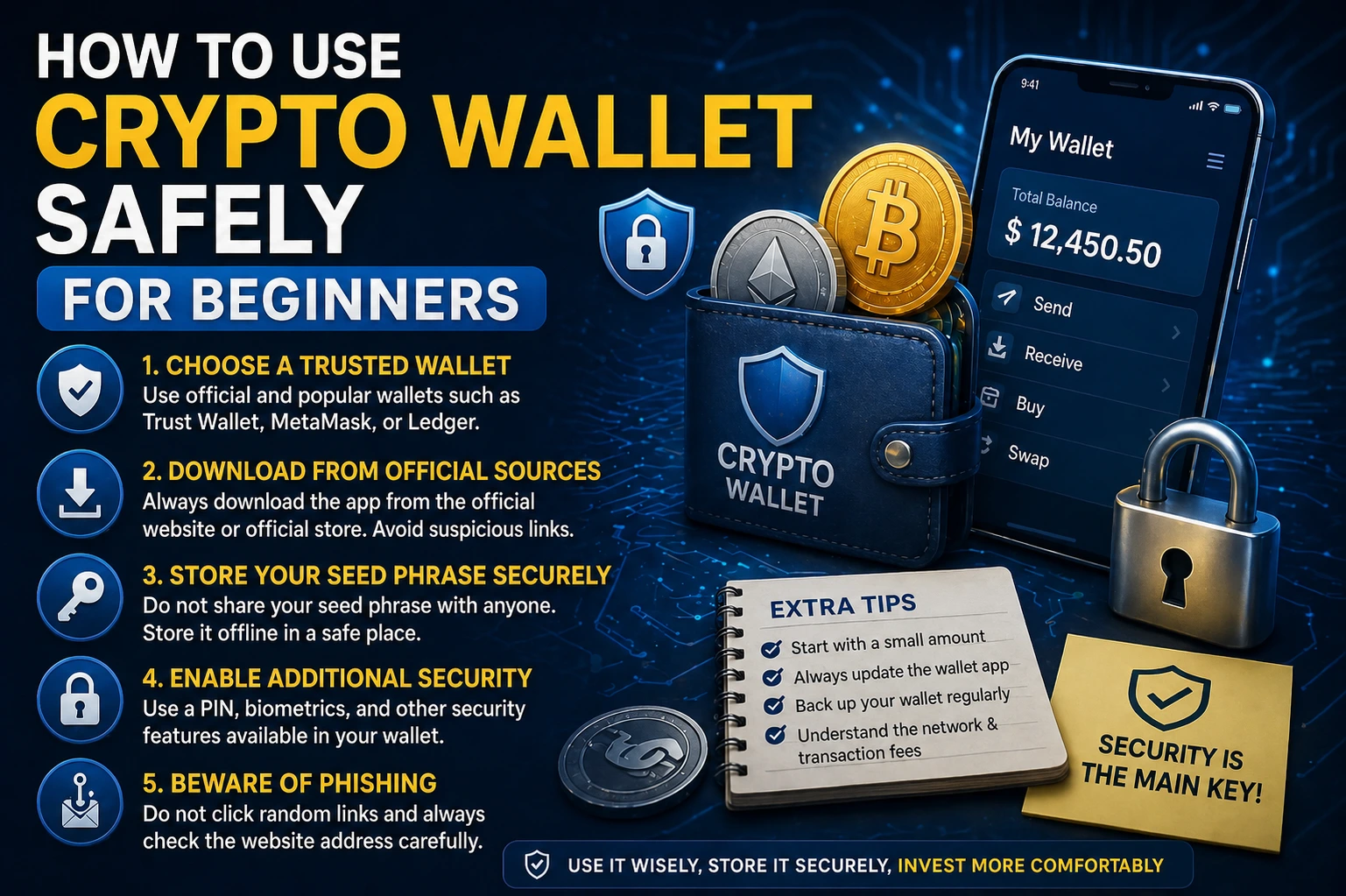
1. Download & Install Wallet
First step:
- Choose a wallet (for example Trust Wallet, MetaMask, etc.)
- Download from the official website / Play Store / App Store
Avoid downloading from random links (many phishing cases)
2. Create a New Wallet
After installation:
- Click Create New Wallet
- You will be given a Seed Phrase (12–24 words)
Example:
apple banana cat dragon eagle ...
3. Save the Seed Phrase (MANDATORY!)
This is the most crucial step.
DO NOT:
- Screenshot
- Save it on your phone
- Send it to anyone else
DO:
- Write it on paper
- Store it in a safe place (can even be in 2 location)
4. Enter the Wallet Dashboard
After the setup has been completed, you will see:
- Saldo
- Wallet address
- Send & receive menu
5. Receives Crypto
To receive crypto:
- Click Receive
- Copy wallet address
- Send to people / another platform
Example:
- You want to receive DRX's Token from a friend
Ensures:
- The network is appropriate (for instance; ERC-20, BEP-20, dll)
6. Sends Crypto
This is the most sensitive step.
Steps:
- Click Send
- Paste the address
- Input the amount
- Choose the network
- Confirm
The important tips
- Make sure to always check 3–5 digit on the beginning & the ending of the address
- Send in small amount first (to test the transaction)
7. Check The Transaction
After sending the token:
- You will get the Transaction Hash
- You can check it on blockchain explorer
8. Use It For Transaction (For Example DRX)
For example, you want to use the wallet to:
- Buy DRX token
- Send to a friend
- Save as an infestation
The Flow:
- Deposit crypto into the wallet
- Swap / buy DRX
- Store or send
Learn more about : What is DRX Token
Tips on Crypto Wallet Security
Security is everything in the crypto world.
1. Never Share The Seed Phrase
No official team will ask for this.
If someone asks → 100% scam
2. Utilize Official Wallet
Always download from:
- Official website
- Play Store / App Store
3. Activate Additional Security
- PIN / Password
- Biometric (fingerprint / face ID)
4. Use Cold Wallet for Large Fund
If your assets are already large, move them to a cold wallet.
5. Be Aware of Phishing
Examples:
- Fake website
- Fake email
- DMs from fake account
Read more: Tips on Crypto Security
Common Mistakes You Must Avoid
1. Wrong Network
For example:
- Send from ERC-20 to BEP-20 without bridge
The results: you may lost your fund
2. Wrong Address
Crypto can not be cancelled.
3. No Backup From Seed Phrase
Broken phone = lost wallet
4. Save Seed on the Mobile Phone
This is a fatal mistake.
5. FOMO & Clicking Carelessly
Many scams exploit the beginners for their lack of knowledge.
Conclusion
Using a crypto wallet is actually not that difficult—the difficult one is to be disciplined in security.
Conclusion:
- Understands the function of wallet
- Use the right wallet (hot vs cold)
- Follows the right steps
- Prioritize the security beyond anything else
If you are serious in cryptocurrency, then this skill is the main foundation.
FAQ (Frequently Asked Question)
1. Is crypto free?
Most of the hot wallet is free. A cold wallet is usually paid.
2. What would happen if I forgot my password?
If you still can access it, use the seed phrase.
3. Can a crypto wallet be hacked?
Yes, especially hot wallets. But it can be prevented with good security.
4. What is the minimum crypto that can be sent?
Depending on the network, usually it is very small (but there will be a gas fee).
5. Is it safe to keep crypto in exchange?
It is safer in a personal wallet because you hold the private key.
Start your crypto journey now.
Use crypto wallet for:
- Safe asset
- Send & receive token
- Interaction with ecosystems like DRX
Don’t wait until you send it wrong—learn & practice now.